Getting more visitors to your online store does not always mean getting more sales. Sometimes, the better opportunity is to help the visitors you already have find products, understand their value, and complete their purchases.
If people visit your store but leave without buying, there may be problems with your product pages, pricing information, checkout process, or overall shopping experience.
The good news is that you can work to improve e-commerce conversion rates without increasing your website traffic. By identifying where shoppers struggle and making practical improvements, you can make it easier for them to complete a purchase.
What Is an E-commerce Conversion Rate?
An e-commerce conversion rate is the percentage of website visitors who complete a purchase during a specific period.
You can calculate it using this formula:
E-commerce Conversion Rate = (Number of Purchases ÷ Number of Website Visitors) × 100
For example, if your online store receives 2,000 visitors and generates 40 purchases, your conversion rate is 2%.
This metric helps you understand how effectively your store turns visitors into customers. However, the right benchmark depends on factors such as your industry, product prices, traffic sources, and customer buying behaviour.
1. Improve Your Product Pages
Product pages play an important role in online purchasing decisions. Visitors need enough information to understand what they are buying and whether the product meets their needs.
If product information is unclear or incomplete, shoppers may leave to look for alternatives.
To improve your product pages:
- Write clear product descriptions that explain features and benefits.
- Use high-quality product images from different angles.
- Display pricing, delivery information, and product availability clearly.
- Include accurate product specifications where relevant.
- Make product variations, such as size or colour, easy to select.
For example, instead of describing a product only by its technical features, explain how those features help customers. Clear and useful information can help shoppers make more confident decisions.
2. Make the Checkout Process Easier
A complicated checkout process can discourage customers from completing their purchases. Unnecessary steps, unexpected costs, and confusing forms can create friction at the final stage of the buying journey.
Review your checkout process and look for opportunities to simplify it.
Consider these improvements:
- Allow guest checkout where appropriate.
- Request only the information needed to complete the order.
- Show shipping charges and other costs before the final payment step.
- Offer familiar and reliable payment methods.
- Display clear error messages when information is missing or incorrect.
A simpler checkout experience reduces unnecessary effort. Monitor checkout completion and abandonment data to identify which steps may need improvement.
3. Build Trust Before Asking for a Purchase
Customers may hesitate to buy from an online store if they are unsure about product quality, payment security, delivery, or returns.
Your website should answer these concerns clearly rather than expecting visitors to search for the information themselves.
You can build trust by providing:
- Clear shipping and return policies.
- Accurate contact and customer support information.
- Genuine customer reviews where available.
- Secure payment options.
- Transparent pricing and delivery estimates.
Avoid displaying misleading reviews or making claims you cannot support. Trust comes from providing accurate information and delivering a consistent customer experience.
4. Improve the Mobile Shopping Experience
Many shoppers browse online stores using mobile devices. If your website is difficult to navigate on a smaller screen, potential customers may leave before completing a purchase.
Check your store on different mobile devices and review the complete shopping journey.
Make sure product images display correctly, text is readable, buttons are easy to tap, and forms are simple to complete. Also, check that shoppers can select product options, add items to their cart, and complete payments without unnecessary difficulty.
Mobile usability is not only about appearance. Every important step, from product discovery to order confirmation, should work properly.
5. Identify Where Customers Leave
Before making major website changes, use analytics to understand where visitors experience difficulties.
Tools such as Google Analytics 4 can help you examine shopping behaviour, provided the relevant events and e-commerce tracking are configured correctly.
Review metrics such as:
- Product views.
- Add-to-cart events.
- Checkout starts.
- Completed purchases.
- Checkout abandonment.
For example, if many visitors view a product but few add it to their carts, review the product information, price presentation, images, and availability. If many shoppers add products to their carts but do not complete payment, examine the checkout process and any unexpected costs.
Focus on the specific problem your data reveals instead of changing several website elements without a clear reason.
6. Test Changes Before Making Bigger Decisions
Not every website improvement will produce the same results. A change that works for one store may not work for another.
Use A/B testing when you have enough relevant data to compare different versions fairly. You could test a clearer product description, a different call-to-action label, or a simplified checkout layout.
Choose one clear hypothesis and define the metric you want to improve before running the test. Depending on the change, this might be purchase conversion rate, checkout completion, or add-to-cart rate.
Allow the test to collect sufficient data before deciding which version performs better. Avoid treating small or short-term fluctuations as proof that a change has worked.
How to Measure Progress
After making improvements, compare your results with a suitable baseline from the period before the changes.
Track purchase conversion rate alongside other useful metrics, such as average order value, revenue, and checkout completion. These additional measures help you understand whether more visitors are buying and whether those purchases support your business goals.
Where possible, compare similar periods and account for changes in traffic sources, promotions, and product availability. This makes it easier to interpret the results.
Remember that a higher conversion rate does not automatically mean higher overall profit. Consider revenue, costs, and order value when evaluating the impact of your changes.
Conclusion
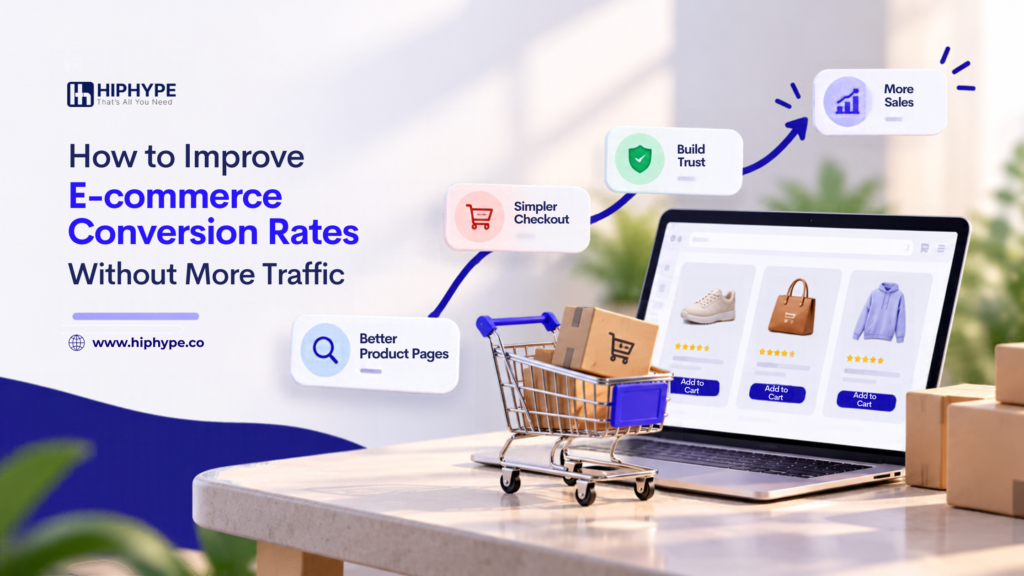
You do not always need more website traffic to generate more online sales. Improving product pages, simplifying checkout, building trust, and making mobile shopping easier can help remove barriers that prevent visitors from purchasing.
Start by reviewing your existing data, identifying the biggest problem, and making focused improvements. Measure the results and continue testing based on what you learn.
A better shopping experience can help your e-commerce business make more effective use of its existing visitors without relying only on additional traffic.
Frequently Asked Questions
1. How Can I Improve My E-commerce Conversion Rate Without More Traffic?
Start by identifying where shoppers leave your website. Improve product information, simplify checkout, make costs transparent, strengthen trust signals, and fix mobile usability issues. Measure the results to understand which changes help.
2. What Is a Good E-commerce Conversion Rate?
There is no single conversion rate that is ideal for every online store. Results vary by industry, product category, pricing, traffic source, and customer behaviour. Compare your performance with relevant industry data and your own historical results.
3. Why Do Customers Add Products to Their Carts but Not Buy Them?
Customers may abandon their carts because of unexpected costs, complicated checkout steps, limited payment options, delivery concerns, or technical problems. Review your checkout data and customer feedback to identify likely causes.
4. How Can Product Page Optimization Increase Sales?
Clear descriptions, useful images, accurate pricing, product availability, and genuine reviews help customers understand what they are buying. Better product information can reduce uncertainty and support purchasing decisions.
5. Which Metrics Should I Track to Improve Online Store Conversions?
Track purchase conversion rate, product views, add-to-cart events, checkout starts, completed purchases, and checkout abandonment. Average order value and revenue can also help you understand the business impact of your improvements.